
Screenshots


App details
- Updated
- August 13, 2006
- Requires
- Windows Vista, Windows 10, Windows XP
- Developer
- Microsoft Game Studios
- Category
- Mobile
SoftPas in:
This product is also available in the following languages:
About Flight Simulator X demo
Download Flight Simulator X demo – flight simulator, flight simulation, airplane, aircraft, aviation, pilot, flying game, flight training, flight school, simulator game, airplane game, flying simulator, flying game, simulator, flight training game, aviation simulator, pilot simulator, flying training, flight simulation game, airplane simulator, flight simulator game, flying game simulator, flight simulator x, flight simulator x demo, flight simulator x free, flight simulator x demo download
Overview
Flight Simulator X Demo offers a compelling and immersive flight simulation experience designed for enthusiasts of aviation and flight training. As a prerelease version of the full game, it provides a focused glimpse into the mechanics and world of professional flight simulation, delivering three distinct missions that guide users through the fundamentals of piloting. The demo is tailored for both newcomers seeking an accessible entry point and seasoned simulation fans looking to test the game’s realism and scope. Its core purpose lies in showcasing the breadth of gameplay, from introductory flight tutorials to advanced mission-based challenges such as dropping flour bombs and navigating complex airport approaches. The inclusion of real-world locations like the Netherlands Antilles and Princess Juliana International Airport enhances authenticity and draws players into a richly detailed environment. Although the demo is not a full-scale flight school, it serves as a valuable tool for understanding aircraft handling, navigation, and flight dynamics in a safe, digital setting. The developer, Microsoft Corporation, has a long-standing reputation in simulation technology, lending credibility to the product’s design and execution. Despite its age, the demo remains relevant as a benchmark in flight simulation history. It continues to be a reference point for developers and users interested in high-fidelity simulation experiences.
Key Features & Functionality
- Diverse Missions: The demo includes three missions: a beginner-friendly tutorial that teaches core flight controls and navigation, a mission requiring players to drop flour bombs at designated targets, and a flight to various airports across the Caribbean. Each mission is designed to progressively build piloting skills and introduce real-world aviation scenarios.
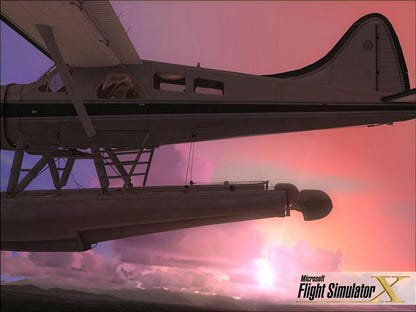
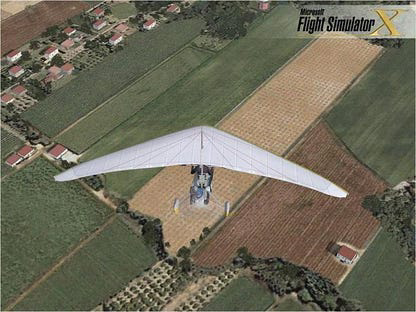
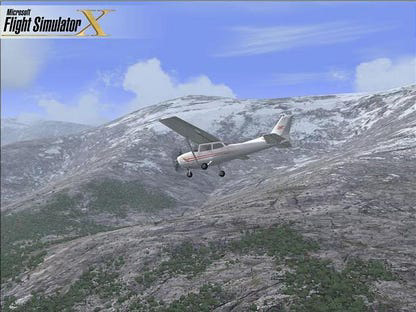
- Variety of Aircraft: Players can pilot four distinct aircraft: the Air Creation Trike Ultralight for agile, low-speed flight; the Beechcraft Baron 58 for medium-range travel; the Bombardier CRJ700 for commercial jet handling; and the deHavilland Beaver DHC2 for short takeoff and landing (STOL) operations. This diversity allows users to experience different flight characteristics and performance profiles.
- Stunning Caribbean Scenery: The demo features a detailed recreation of the Caribbean region, including the Netherlands Antilles and surrounding islands. Players can fly over tropical landscapes, navigate near coastal cities, and approach the iconic Princess Juliana International Airport, known for its low-altitude flyovers over the beach.
- User-Friendly Interface: The interface is intuitive, with clear mission objectives, real-time flight data, and accessible controls. The free-flight mode allows unrestricted exploration, enabling players to practice maneuvers or simply enjoy the scenery without mission constraints.
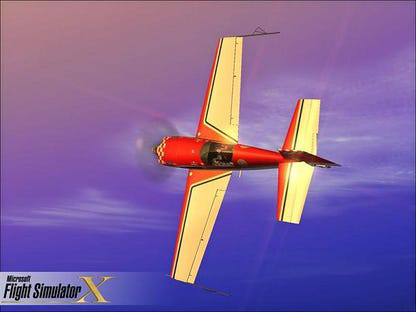
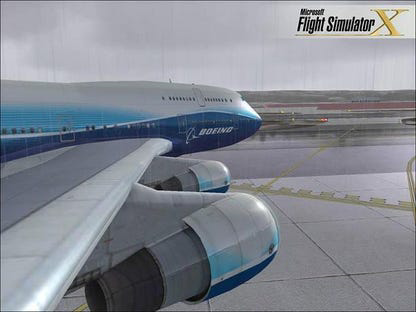
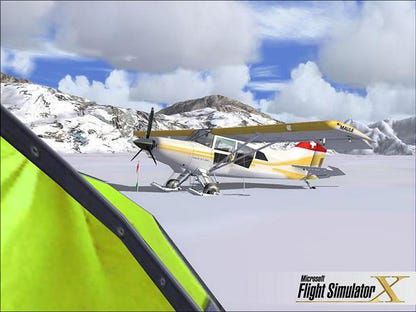
- Immersive Graphics and Realism: Despite minor graphical glitches and frame lag on older systems, the demo delivers high-fidelity visuals, realistic flight physics, and dynamic weather systems. Detailed aircraft models and responsive controls contribute to a sense of presence and realism.
These features collectively offer a balanced mix of education, entertainment, and realism, making the demo suitable for both casual players and aspiring pilots.
Interface, UX & Performance
The user interface of Flight Simulator X Demo is clean, well-organized, and designed with usability in mind. Navigation is straightforward, with mission objectives clearly displayed and flight instruments presented in a logical layout. The controls are responsive, allowing for precise adjustments during takeoff, flight, and landing phases. The demo supports keyboard and joystick inputs, offering flexibility for different user preferences. Although the developer did not list formal performance metrics, the app runs on a wide range of Windows systems, though users may experience frame lag or graphical errors on machines with lower-end hardware. The interface remains stable during mission execution, with minimal crashes or freezes reported. Responsiveness is generally strong during flight, though performance may vary depending on system configuration. The demo’s design prioritizes immersion without sacrificing usability, ensuring that even first-time users can quickly grasp controls and objectives. The free-flight mode enhances exploration, allowing players to experiment with flight dynamics at their own pace. While the app’s large file size may impact download and installation times, the interface itself remains consistent and functional across different screen resolutions and display settings. Overall, the UX is polished and accessible, reflecting the maturity of the simulation genre.
Platform Compatibility & Technical Requirements
Flight Simulator X Demo is designed for the Windows platform and requires a compatible Windows operating system. The software version is 1.0.0.0, and the file size is 11.0 GB, which reflects the extensive assets and high-resolution textures included in the demo. Specific requirements such as minimum CPU, RAM, or GPU specifications were not listed by the developer. The developer did not specify minimum OS requirements, nor did they provide information about compatibility with newer Windows versions. As a result, users should exercise caution when installing on modern systems, particularly those running Windows 10 or 11, as compatibility may depend on emulation or legacy mode settings. The app is not available on mobile platforms such as Android or iOS. Installation requires significant disk space and a stable internet connection due to the large file size. Users are advised to verify system compatibility before proceeding with the download.
Pros and Cons
Pros
- Offers a realistic flight simulation experience with diverse mission types
- Includes four distinct aircraft with unique handling characteristics
- Features detailed Caribbean scenery and real-world airports
- Intuitive interface suitable for beginners and experienced users
- Free to download and install, making it accessible for a wide audience
Cons
- Large file size (11.0 GB) may be challenging for slow or limited internet connections
- Minor graphical errors and frame lag reported on some systems
- Compatibility with modern Windows versions not officially confirmed
- No official updates or support since 2010
- Not available on mobile platforms such as Android or iOS
FAQ
Is Flight Simulator X Demo free to download?
Yes, the demo is available at no cost. It is distributed by Microsoft Corporation as a promotional tool for the full game.
Can I play this demo on Android or iOS?
No, the demo is exclusively designed for Windows and is not available on mobile platforms such as Android or iOS.
What are the system requirements for running the demo?
The developer did not provide specific technical requirements, including minimum CPU, RAM, or GPU specifications. Users should ensure their system has sufficient storage and processing power to handle the 11.0 GB file size.
Is the demo still safe to install and use?
Yes, the demo is officially released by Microsoft Corporation and is considered secure. However, users should download it from trusted sources to avoid third-party modifications.
Will there be future updates to the demo?
As the demo was released in 2010 and is no longer actively supported, there are no known future updates. The current version remains unchanged.
Final Thoughts
Flight Simulator X Demo stands as a landmark entry in the flight simulation genre, offering a rich and engaging experience that balances realism with accessibility. Its diverse missions, varied aircraft selection, and stunning Caribbean environment provide a compelling reason to download and explore. While the large file size and potential compatibility issues with modern systems are notable drawbacks, the demo’s core strengths—immersive visuals, intuitive controls, and educational value—remain powerful. It serves as an excellent tool for aspiring pilots, aviation enthusiasts, and simulation fans alike. Whether used for casual play or flight training practice, the demo delivers lasting value. Despite its age, it continues to hold relevance in the simulation community. For those seeking a free, high-quality flight simulation experience, this demo remains a top recommendation.
Download Flight Simulator X demo now
Guides & Tutorials
How to install Flight Simulator X demo
- Click the Download button above.
- Once redirected, accept the terms and click Install.
- Wait for the Flight Simulator X demo download to finish on your device.
How to use Flight Simulator X demo
This software is primarily used for its core features described above. Open the app after installation to explore its capabilities.
User Reviews
No reviews yet. Be the first to share your experience.
You may also like
more
Que no te pillen¡
About !Que no te pillen¡Reviewed by Jason A. BilbreyShow MoreShow Less

3D Combat Zone
About 3D Combat ZoneOriginally released in 1983, 3D Combat Zone immerses players...

666: El día del portal
About 666: El día del portalOn June 6, 2006, Agent P. Stone uncovers a sinister...

80 in 1 Best Flash games
About 80 in 1 Best Flash games 80 in 1 Best Flash games is a collection of 80 fl...

ABYSS SEEKERーーWhat Do You See Deep in The Abyss
About ABYSS SEEKERーーWhat Do You See Deep in The AbyssIn ABYSS SEEKER, players...

ACA NEOGEO THE KING OF FIGHTERS 2002 for Windows
About ACA NEOGEO THE KING OF FIGHTERS 2002 for WindowsTHE KING OF FIGHTERS 2002,...